
Your words, your name
Edit every email and text. The customer, date and address are filled in when each one sends.
Tell customers their scheduled time, when the driver is on the way and when the job is done, by text and email, in your own words.
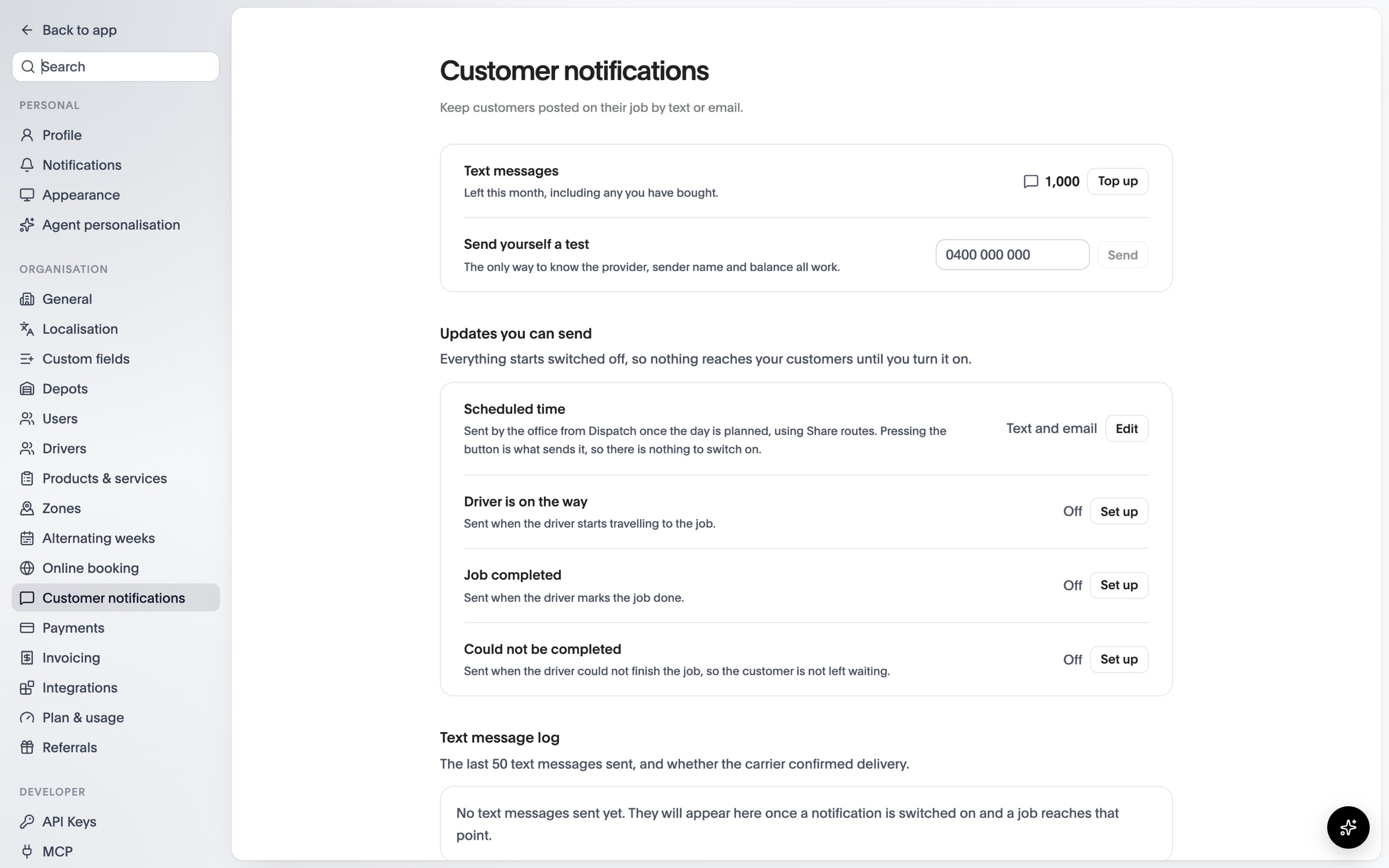
Edit every email and text. The customer, date and address are filled in when each one sends.
Every automatic message starts switched off until you’ve read it and turned it on. Scheduled times go out when you share the day’s routes.
300 texts a month included. Email is unlimited, and top-up packs never expire.
Sent from Dispatch when you share the day’s routes, by text and email.
When the driver starts travelling to the job, once you switch it on.
When the driver marks the job done, once you switch it on.
When the driver can’t finish the job, so the customer isn’t left waiting.
Compare what each plan includes on the pricing page.
See OPS25 with your own services, depots and crews in mind.